The short answer: Use one row per backlink placement. Record the agreed target, anchor, price and publication window, then add the live article URL and your latest manual check. Keep the agreed details unchanged when recording differences you find. Download the 22-column CSV below without a Backlink Management account. It includes two fictional example rows to delete before use.
No Backlink Management account required. Manual template; no automatic link checks.
- One row per backlink: Give each tracked link its own Placement ID, including separate links in the same article.
- Agreed and observed are different: Keep the agreed target and anchor unchanged; record discrepancies separately.
- Preserve earlier checks: Add a dated note before replacing the latest-check fields.
- Record attributes literally: Copy the observed rel value rather than assigning the link a quality score.
- Keep indexing evidence separate: Record its source and date; leave the status unverified without adequate evidence.
- Ungated CSV: Download without a Backlink Management account and import it into your spreadsheet application.
What Is a Guest Post Tracker?
A guest post tracker records the details of placements you have arranged and the results of your manual checks. This template starts when a placement is agreed; it is not a prospecting database or outreach CRM.
Here, a placement means one backlink in a guest-post article. Give each link its own Placement ID. When an article contains two links you need to track separately, use two rows.
Each row holds the agreed details and the latest observed state. Earlier checks need to be preserved in dated notes or a separate log; the CSV does not create a history automatically.
Download the Free Guest Post Tracker Template
The download contains 22 columns and two fictional example rows. The prices, dates and publication windows illustrate how to fill in the file; they are not BM offers or measured results. Delete both example rows before entering your own placements.
- Google Sheets: Choose File → Import → Upload, select the CSV and choose Create new spreadsheet. Use a comma as the separator if needed.
- Excel: Use Data → From Text/CSV, check the comma-separated preview and load it into a new worksheet. Check that dates, amounts and URLs have imported into the correct columns.
- Numbers on Mac: Drag the CSV onto Numbers. Check the imported table and adjust the import settings before editing if the columns do not separate correctly.
The CSV contains plain data, not formulas, dropdowns or automatic checks. After importing it, save your working version as a Google spreadsheet, Excel workbook or Numbers document before adding formatting or extra sheets. A CSV export does not preserve a multi-sheet workbook.
Sources: Google Sheets help on importing data and Microsoft Support on saving a workbook to text or CSV.
What Goes in Each Column?
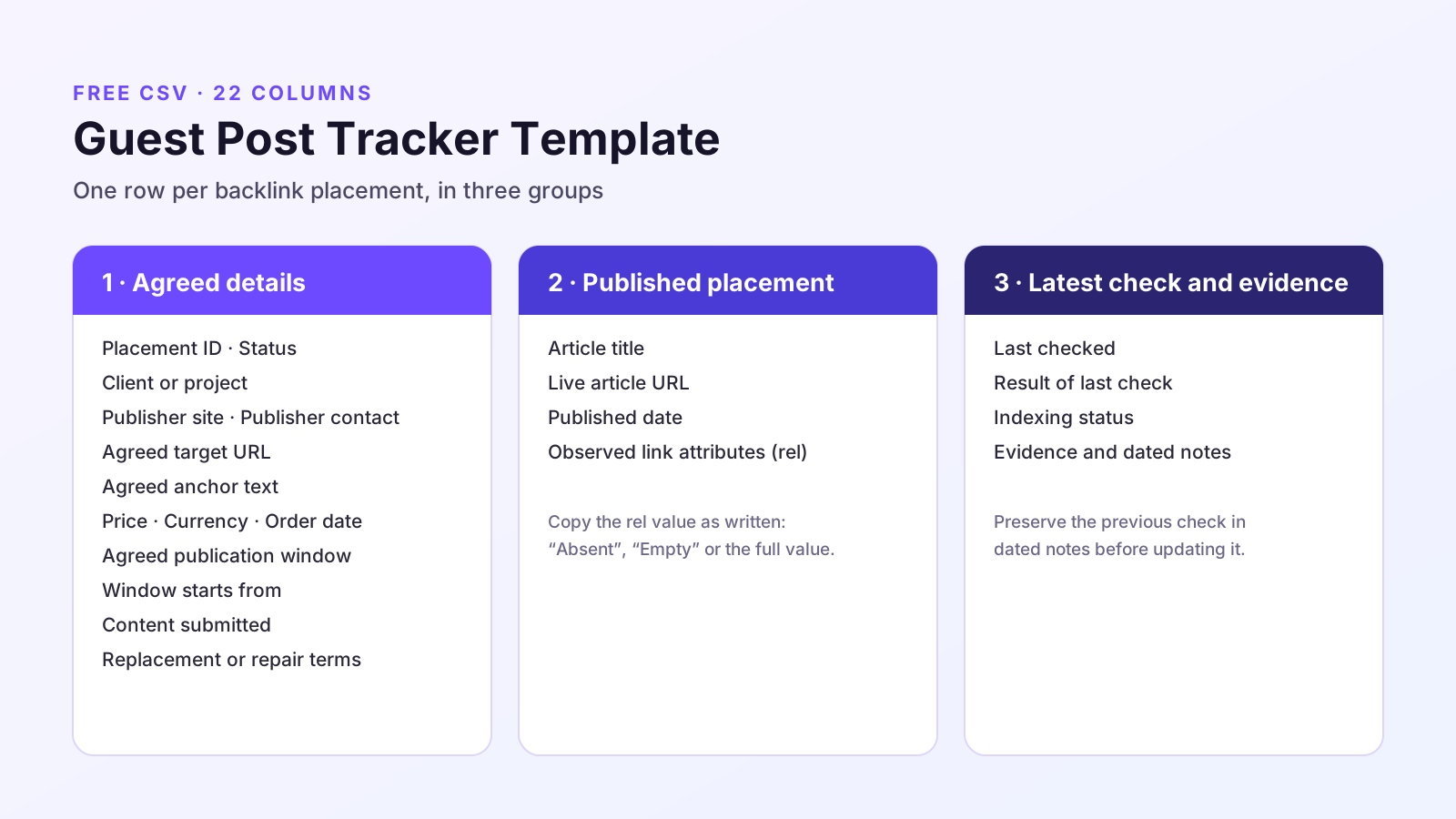
The columns fall into three groups: the agreed details, the published placement and the latest check with its evidence.
Agreed Details
| Column | What to enter |
|---|---|
| Placement ID | Your reference for one backlink placement. Use separate IDs for separate links, even when they appear in the same article. |
| Status | Your workflow label, such as Ordered, Content submitted, Live, Needs review or Cancelled. Record the actual observation separately under Result of last check. |
| Client or project | Who the link is for. Useful once you track more than one site. |
| Publisher site | The domain the article will appear on. |
| Publisher contact | The person or address you deal with. |
| Agreed target URL | The destination agreed for this backlink. Do not overwrite it when the published link points elsewhere. |
| Agreed anchor text | The anchor agreed for this backlink. Record any different wording in the check result or dated notes. |
| Price | The amount recorded for this row, without a currency symbol. State whether it is quoted or paid in the dated notes. |
| Currency | The currency code, such as USD or GBP. Keep totals separate by currency unless you explicitly convert them. |
| Order date | The date you confirmed the order. Note the payment date separately if it differs. |
| Agreed publication window | The quoted publication window, including calendar or business days. Preserve any stated conditions. |
| Window starts from | The agreed starting milestone and its actual date once known. Until then, write “date unconfirmed”. Record agreed pauses or revisions in dated notes. |
| Content submitted | The date you sent the article, if you wrote it. |
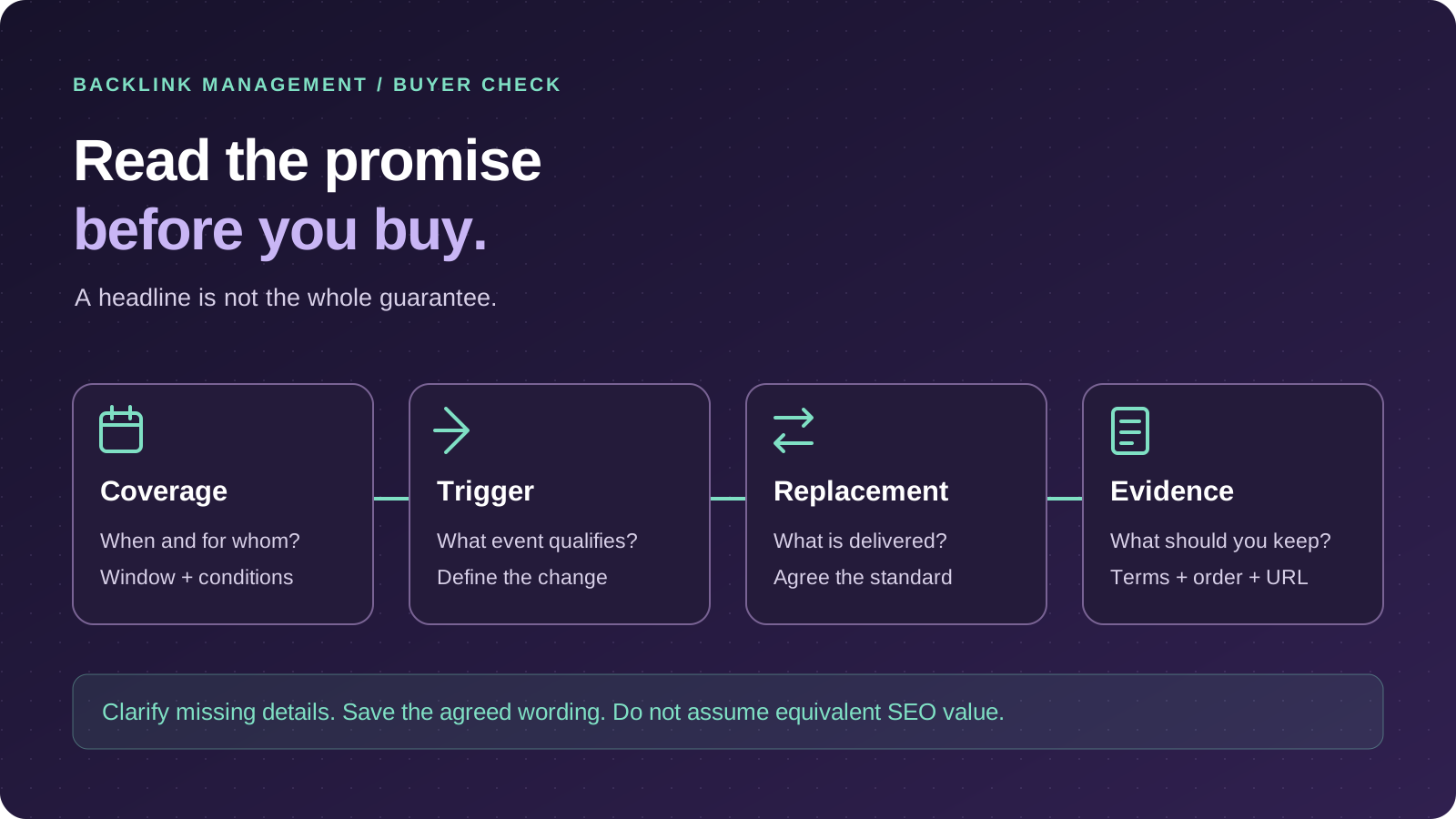
| Replacement or repair terms | The stated conditions, deadlines and remedy, plus a reference to the written terms. Write “Unverified” when the terms have not been established. |
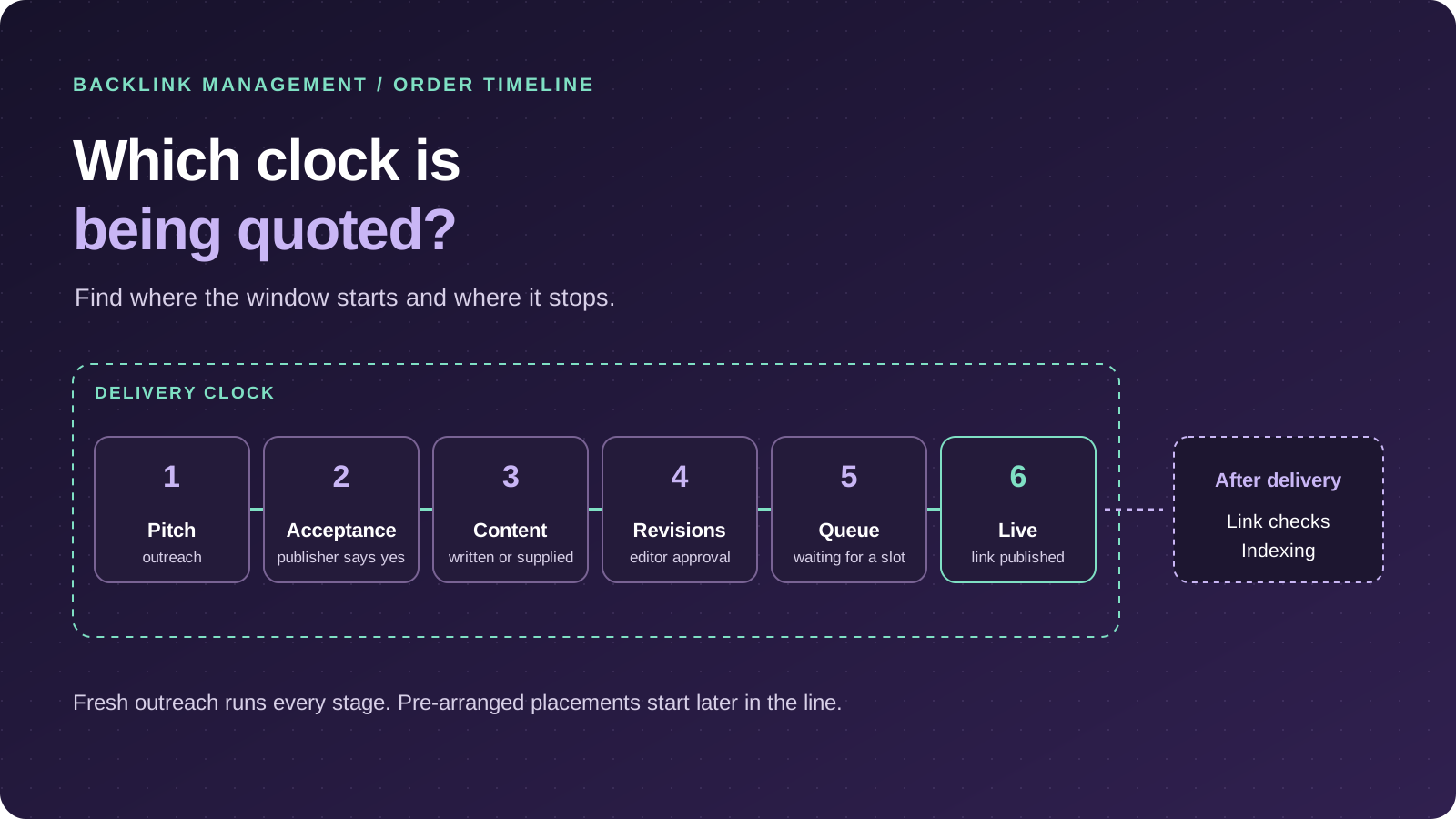
Record both the starting milestone and its date. A window measured from content approval is different from one measured from payment. Our guide to guest post turnaround time explains how to compare those quotes.
When one order covers several tracked links, do not repeat its entire price on every row and then total those rows. Record the order cost once, or allocate it across the rows and explain the allocation.
Published Placement
| Column | What to enter |
|---|---|
| Article title | The published title. |
| Live article URL | The full URL of the published article. |
| Published date | The publication date, where established. Note whether it was reported by the publisher or independently observed; do not substitute your first-check date without explaining it. |
| Observed link attributes (rel) | Copy the full observed value. Use “Absent” when there is no rel attribute and “Empty” when it exists without a value. Leave it blank until checked. |
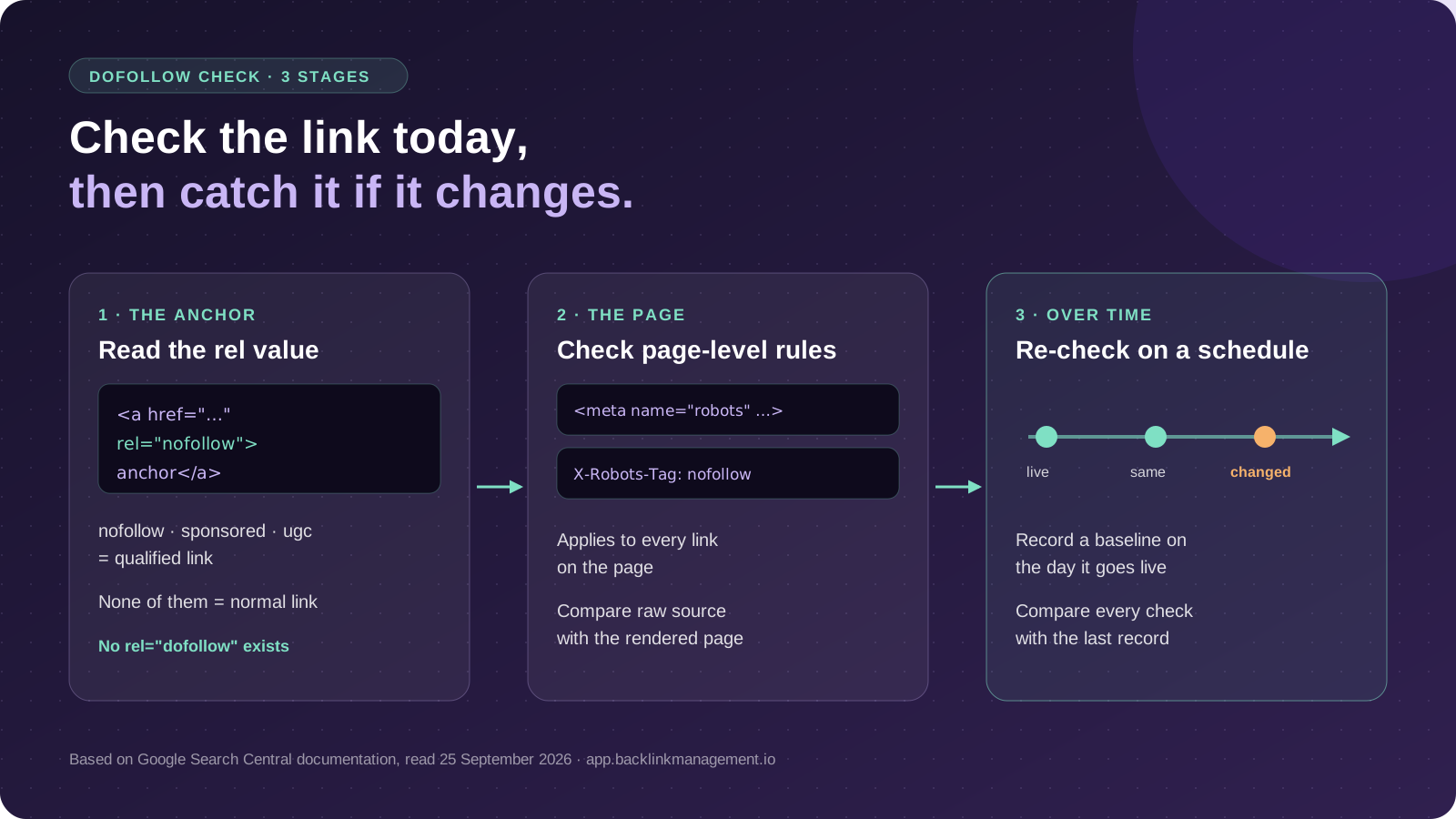
A rel value is an observation, not a quality grade. For paid placements, Google recommends sponsored and also accepts nofollow. Record what is present rather than treating a qualified link as a failed placement.
Source: Google Search Central on qualifying outbound links
Latest Check and Evidence
| Column | What to enter |
|---|---|
| Last checked | The date of your latest manual placement check. Preserve the previous check in dated notes before updating it. |
| Result of last check | What you observed, including whether the actual destination and anchor match the agreement. Record discrepancies explicitly. |
| Indexing status | Use “Unverified” without adequate evidence, or “Not applicable — not published” before publication. Record the evidence, its date and the inspected URL in dated notes. |
| Evidence and dated notes | Append dated observations, agreement references and evidence locations. Also record any agreed link-attribute requirements here. Preserve earlier entries rather than replacing them. |
An indexed URL Inspection result and a live test answer different questions. Record which one you received and when. A live test does not establish that the page is already indexed.
Source: Search Console Help on the URL Inspection tool
How Do You Fill It In After a Post Goes Live?
When a placement goes live, complete its row in this order:
- Open the article URL. Confirm it is publicly accessible. Follow and record any redirect rather than treating a moved page as a removed placement.
- Inspect the link. Compare its actual destination and visible anchor with the agreed values. Record any difference without changing the agreement fields.
- Record the observed attributes. Copy the link’s rel value. Our guide on how to check if a backlink is dofollow shows where to look and which page-level rules to check.
- Date the observation. Complete Last checked and Result of last check. Use the same date format throughout, such as YYYY-MM-DD.
- Save evidence. Keep a screenshot for visible content and a saved HTML extract or inspection capture for the destination and attributes. Reference the evidence in the dated notes.
The row is a latest-state record. Before changing it on a later check, preserve the previous observation in Evidence and dated notes. Use one entry per check, for example: “2026-10-05 | Destination and anchor match | rel: sponsored | Evidence: [file reference].”
For a longer history, use a separate check log linked by Placement ID after saving the file in your spreadsheet application’s native format. No log tab is included in this CSV.
What Should You Do When a Check Fails?
Record the observation before deciding what it means. An inaccessible page, changed destination and different rel value are separate findings. Mark the row Needs review while you investigate; do not overwrite the agreed target or anchor.
Preserve the previous observation, add the new date and save the evidence. Our guide to what to check when a guest post link is removed explains how to distinguish a moved page, removed link and changed attribute.
Then compare the finding with the written placement terms. Ask about a specific discrepancy rather than assuming that every change entitles you to a replacement.
When Might You Prefer a Backlink Workspace?
Keep using the spreadsheet while it gives you a clear record and you can maintain it reliably. There is no fixed placement or client count at which you must switch.
A reason to consider Backlink Management is to organise backlink records alongside connected Google Search Console data. The Backlink Manager brings those records and search data into the same workspace.
For a broader discussion of team workflows, see our guide to backlink management for agencies. Check any required imports, permissions, reporting or monitoring functions before choosing software.
BACKLINK MANAGEMENT
Keep Your Backlink Records and Search Data Together
Organise backlink records alongside connected Google Search Console data in Backlink Management.
Questions
Guest Post Tracker Questions
Yes. You can download the CSV without a Backlink Management account and edit your own copy.
Yes. Use File → Import → Upload and create a new spreadsheet from the CSV. Check that the import contains 22 columns and two example rows before deleting the examples.
This version starts with agreed placements. Keep prospecting and unanswered pitches in a separate outreach sheet, then create a placement row when the arrangement is confirmed.
There’s no standard interval. Check each placement when it goes live, then on a schedule that matches how much the link matters to you, and record the date every time.
Where this lands
Verdict
- Who this suits
- Site owners, freelancers and agencies who want a manual record of agreed placements and their latest link checks.
- Who it does not suit
- Anyone looking for an outreach CRM, a link-finding tool or automatic link checking. This is a manual template.
- What we could not verify
- The template is our recommended structure, not an industry standard. We have not measured how often guest post links change or disappear.