
The short answer: A relevant backlink comes from a page whose subject, audience or context has a genuine connection to the page it links to. The linking page matters, not just the site's overall niche or Domain Rating. Before pursuing a backlink, check why that page would reasonably mention yours, whether real readers would find the link useful, and whether the placement is editorial or paid.
- Definition: a relevant backlink comes from a page whose subject, audience or context genuinely connects to the page it links to.
- Page first: judge the specific linking page, not just the site's niche label or Domain Rating.
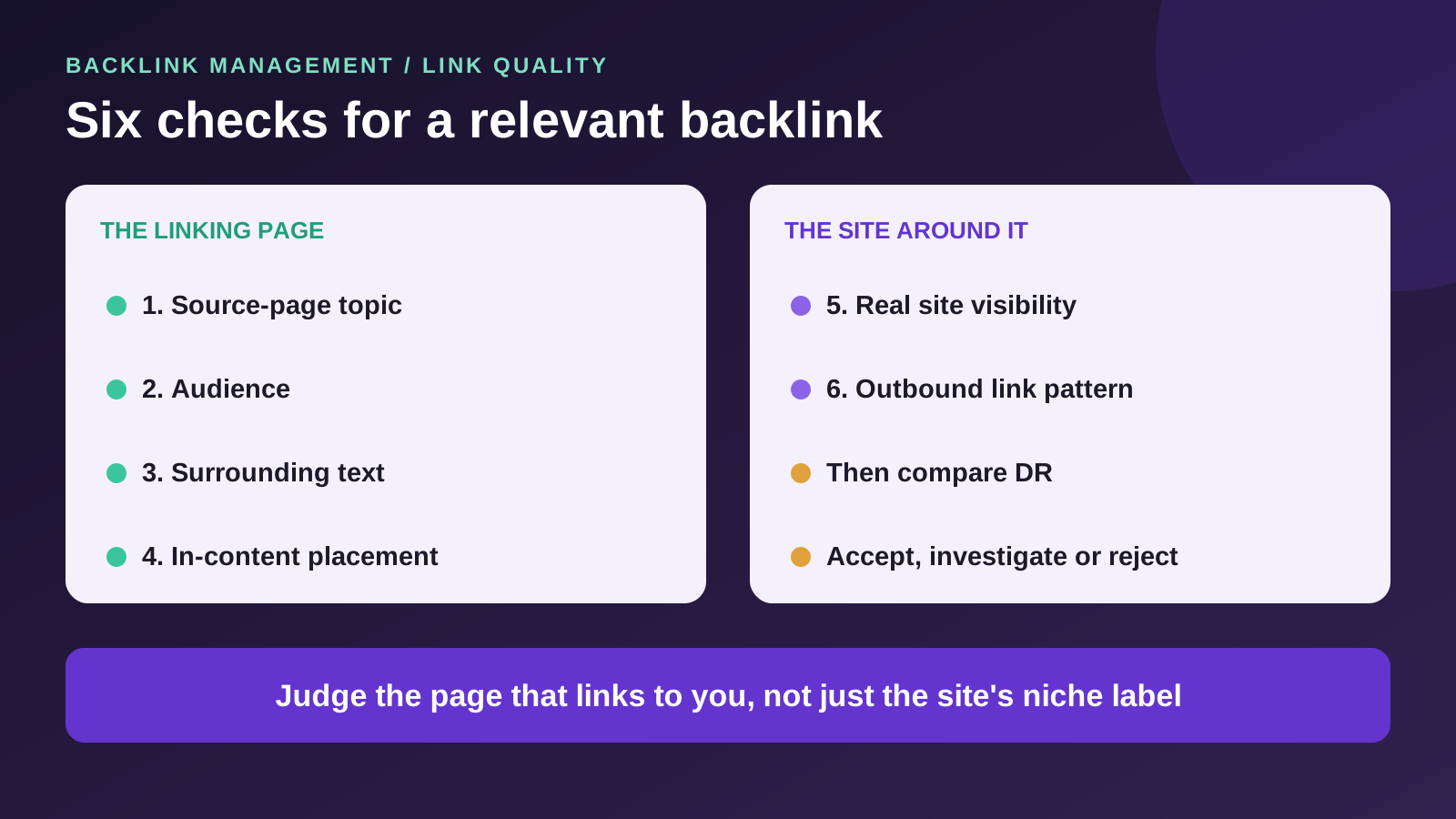
- Six checks: source-page topic, audience, surrounding text, placement, site visibility and outbound pattern, recorded as accept, investigate or reject.
- Relevance vs DR: they measure different things; shortlist on relevance, then compare authority.
- Paid is still paid: a relevant paid link should carry rel="sponsored" or rel="nofollow" under Google's policy.
What Makes a Backlink Relevant?
A backlink is relevant when the page linking to you and the page it links to belong in the same conversation. The topic of the linking page fits yours, its readers have a reason to want your page, and the sentence around the link explains why it is there.
Four things decide it:
- The source page's subject. What the article is actually about, not just what the site covers in general.
- The audience. Whether the people reading that page would plausibly click through to yours.
- The surrounding text. Whether the link supports a point or a next step the writer is making.
- The editorial purpose. Whether the link helps the reader, or exists only to point somewhere.
Two illustrative examples (not Backlink Management case studies):
- Genuinely relevant: an industrial-refrigeration supplier gets a link from a restaurant-equipment guide that discusses freezer capacity. The linking site is not exclusively about refrigeration, but the paragraph, the reader and the destination all line up.
- Contrived: the same supplier gets a link from a general lifestyle blog, dropped into a post about travel tips with the anchor "commercial freezers". The site may have good metrics. Nobody reading that post was looking for a freezer.
"Relevant backlink" is an SEO industry term. Google does not publish a relevance score for links. What Google does say is that it "uses links as a signal when determining the relevancy of pages", and that good anchor text is "relevant to the page that it's on and to the page it links to."
Source: Google Search Central, Link best practices for Google, read 18 November 2026.
Does Page-Level Relevance Matter More Than Domain Relevance?
Look at both, but start with the page. A link sits on one page, in one paragraph, in front of one set of readers. That page is where relevance is either real or not.
A broad publisher can carry a highly relevant link. A national business news site has no single niche, but its article about cold-chain logistics can be the right place for a refrigeration supplier. The reverse also happens: a site that is nominally "about" your industry can carry an unrelated article written mainly to hold a link.
Domain relevance still tells you something. A site that consistently covers your field is more likely to have readers who care about your page, and more likely to publish future articles you could fit into. It is useful context, not a substitute for reading the page.
We can't give you a ranking hierarchy between the two. Google has not published how it weighs a link's page against its site, and we have not tested it. Treat the page as the thing you are buying or earning, and the domain as background.
How Do You Check Whether a Backlink Is Relevant?
Run six checks on the specific linking page, then make a written accept, investigate or reject decision. The checks work the same way whether you are vetting a link you were offered, a guest post site you are about to pay, or a prospect you plan to pitch.
| Check | Strong indication | Warning |
|---|---|---|
| Source-page topic | Directly related problem or subject | Link inserted into unrelated copy |
| Audience | Readers plausibly need the destination | No reader reason to click |
| Surrounding text | Link supports a factual point or useful next step | Keyword-stuffed bolt-on sentence |
| Placement | Natural citation in readable body content | Template or footer placement with no context |
| Site visibility | Real, relevant articles and observable readership | Traffic claims without credible evidence |
| Outbound pattern | Selective links to useful references | Repeated unrelated paid destinations |
How to run each check:
- Source-page topic. Read the page, or for a guest post, the site's recent posts on the same subject. Ask whether your page answers a question the article raises.
- Audience. Picture the person who arrived at that article. Would they find your page useful, or would the link look like a detour?
- Surrounding text. Read the sentence the link sits in and the one before it. A good link finishes a thought. A bad one interrupts it.
- Placement. Body content is where readers and editors pay attention. Google's spam policy lists "widely distributed links in the footers or templates of various sites" as an example of link spam.
- Site visibility. Check whether the site publishes real articles on your subject and shows signs of actual readers: recent posts, named writers, comments or shares, and pages that appear in Google for the site's own topics. Compare any traffic figure a seller quotes with a third-party estimate. A seller's number is a claim until you can see some evidence behind it.
- Outbound pattern. Look at the other links on the page and on a few neighbouring posts. A page that links to many unrelated commercial sites may be selling placements. Treat that pattern as a warning sign, not proof of a paid-link arrangement.
For a guest post, the page does not exist yet. Run the checks on the site's recent posts about the same subject, and agree the article topic and where your link will sit before you pay.
Our approach to the decision: a clear fail on topic, audience or placement is usually a reject, because those are hard to fix after the fact. A weak result on visibility or outbound pattern is a reason to investigate further before deciding. Write down what you found for each check and the date. Six short notes are enough to explain, later, why you accepted a placement or why you passed. There is no validated scoring model behind this grid, so don't convert it into a number. Our list of guest post site red flags covers the wider site-quality checks to run alongside it.
Sources: Google spam policies: link spam and Link best practices for Google, both read 18 November 2026. The six-check grid is our practical framework, not Google guidance.
Are Relevant Backlinks Better Than High-DR Backlinks?
They measure different things, so one does not replace the other. Domain Rating estimates the strength of a site's link profile. Relevance describes whether a specific page and its readers connect to yours.
A high-DR site can still give you an irrelevant link. A general blog with strong metrics that publishes your link in an unrelated post scores well on authority and poorly on every one of the six checks above. A smaller site that covers your exact subject can be the more sensible placement.
That does not make low metrics a virtue. A relevant page on a site with no visibility and no readers still has little to offer. The practical approach:
- Shortlist on relevance first. Remove sites that fail the page, audience or placement checks.
- Compare authority within the shortlist. Use DR or a similar metric to compare sites that already passed.
- Don't treat them as interchangeable. We can't tell you that a relevant DR 25 link beats an unrelated DR 80 link, or the reverse. No one has published a reliable way to weigh them.
If you're comparing publishers using domain metrics, our high DA guest posting guide explains how to assess authority scores alongside traffic and placement details before making a purchase.
How Do You Find and Build Niche-Relevant Backlinks?
Start where relevant links already exist, then qualify every opportunity with the six checks before you spend time or money on it.
- Competitors' referring domains. Domains linking to several competitors may be worth investigating, but shared backlinks do not prove topical relevance or link quality. Our free backlink gap analysis tool compares referring domains so you can see those gaps.
- Publishers that cover your topic. Look for writers and sites that regularly publish about the problems your page solves.
- Original data and useful resources. A benchmark, a calculator or a clear reference gives a relevant writer something to cite. Links earned this way are editorial backlinks: the publisher chose to give them.
- Resource pages. Pages that list tools or guides for a specific audience can be a good fit when your page is genuinely useful to that audience.
- Industry relationships. Trade associations, partners, suppliers and integration directories tend to be relevant because the business relationship behind the link is real. Our guide to foundational backlinks covers these industry and business references.
Google's own guidance points the same way from the other side. Its SEO Starter Guide encourages sites to link to "relevant resources" and to make sure they trust the resource before linking. A page worth linking to, offered to the right site, is what makes a link relevant in the first place.
Source: Google Search Central, SEO Starter Guide, read 18 November 2026.
Should You Buy Relevant Backlinks?
You can pay for a placement on a relevant site, but relevance does not change the rules for paid links. A paid link that passes ranking credit is link spam under Google's policy, however well it fits the topic.
Google lists "exchanging money for links, or posts that contain links" as an example of link spam. The same policy says Google "does understand that buying and selling links is a normal part of the economy of the web for advertising and sponsorship purposes", and that such links are not a violation when qualified with rel="nofollow" or rel="sponsored". Google's link-qualification guidance names sponsored as the value for paid placements.
When a seller offers "niche relevant backlinks", it usually means the site is in a category related to yours. That claim is about the domain. Verify the page:
- Ask for the exact page or the planned topic before you pay, and run the six checks on it.
- Ask how the link will be qualified, and get the answer in writing.
- Ask who controls the site. Network-owned sites can be labelled by niche without having readers in it.
- Decide what to do if the seller won't qualify the link. A paid link left as an ordinary followed link is the arrangement Google's policy describes as link spam.
- Treat a guaranteed link differently from an earned one. A paid guest post or a paid niche edit can be relevant and still be a paid placement, not an independent editorial citation.
Sources: Google spam policies: link spam and Qualify your outbound links, both read 18 November 2026.
How Does Backlink Management Help With Relevant Backlinks?
Backlink Management gives you a place to choose placements and keep the record, while the relevance judgement stays with you.
Backlink Management is backlink management and tracking software for SEO agencies, link builders and site owners, founded by Brandon King and based in Miami, Florida. After signup, the guest post marketplace lets you browse specific publisher listings and review the details each one shows, such as Domain Rating, a traffic estimate, site age and whether the link is dofollow or nofollow, before ordering. The marketplace does not filter publishers by niche or score topical relevance, so run the six checks on each site yourself.
Once a link is placed, whether you bought it or earned it, our backlink management software helps you record it alongside connected Google Search Console data. It does not re-check links or alert you when they disappear, so confirming that each relevant link is still live stays with your team.
BACKLINK MANAGEMENT
Found a Relevant Publisher? Plan the Placement.
Browse available guest post sites, choose a suitable listing and manage your order in Backlink Management. Publisher relevance remains yours to assess.
Questions
Relevant Backlink Questions
Yes. Google says it uses links as a signal when determining the relevancy of pages and to find new pages to crawl. It does not publish how much weight any single link carries.
Not always. A link from a same-niche site can sit in an unrelated article, and a broad publisher can carry a highly relevant one. Judge the linking page and its readers, not only the site's category.
Yes. Domain Rating estimates the strength of a site's link profile. It says nothing about whether a specific page, its readers or the sentence around the link connect to your page.
Start with sites that link to your competitors but not to you, publishers that cover your subject, resource pages for your audience and real industry relationships. Then run the six checks on each opportunity before you pursue it.
You can pay for a placement on a relevant site, but relevance does not exempt it from Google's link spam policy. Paid links should be qualified with rel="sponsored" or rel="nofollow". Verify the specific page before you pay.
No. The Backlink Management marketplace does not currently filter publishers by niche or score topical relevance. After signup you can browse individual listings and assess each site's fit yourself.
No. Backlink Management helps you record backlinks alongside connected Google Search Console data, but it does not automatically re-check links or alert you when they disappear.
Where this lands
Verdict
- Who this suits
- Link builders, agencies and site owners who want a repeatable way to judge whether a placement or prospect genuinely fits the target page before spending money or outreach time.
- Who it does not suit
- Anyone looking for a relevance score, a guaranteed ranking effect, or a rule that settles relevance against DR in every case.
- What we could not verify
- We did not buy a placement or measure a ranking effect. Google has not published how it weighs page relevance against domain authority.