Duplicate backlinks in a report can mean a repeated import, another check of an existing link, separate links with matching URLs, or a reporting tool's own duplicate label. Group records for reporting without deleting the evidence underneath them. A source-and-target URL pair is not necessarily one physical link or one purchased placement. Repeated rows alone are not a reason to remove or disavow backlinks. Google's disavow guidance calls for a different assessment: considerable spammy, artificial or low-quality links and a manual action, or a likely manual action, because of them.
For the ongoing record-keeping behind this exercise, Backlink Manager keeps backlink records alongside connected Search Console data. The reporting method below is a manual exercise, not a claim that BM automatically cleans or reconciles exports.
What Is Actually Repeating?
| What repeats | What it could represent | Reporting action |
|---|---|---|
| The same original record, imported twice | A duplicate import | Exclude the confirmed repeat from the working observation count; retain the raw export |
| The same source and target on different check dates | Link history | Keep both observations attached to the pair |
| The same source and target, but different locations on the page | Separate link occurrences | Keep the occurrence evidence and separate placement records |
| Different source URLs on the same domain | Different pages, possibly with a repeated template link | Keep distinct URL pairs; calculate referring domains separately |
| A provider's "duplicate" label | That provider's grouping or classification | Read its definition before interpreting the count |
Duplicate page content is another question. Two sites can publish the same article text while still having different source URLs. Do not merge their backlink records just because the words match.
Reporting Steps
1. Preserve the Export and Set the Scope
Keep an untouched copy of each export. Work in a separate sheet, and choose the client, property and reporting period before combining anything. Our backlink management for agencies guide explains the wider client-record workflow; this exercise deals only with the repeated-looking rows inside a report.
Record the provider, report name, export date and filters. Preserve actual observation dates where supplied. An export downloaded today does not prove that every link was checked today. If the observation date is missing, write "unknown" rather than substituting the download date.
Pair-level grouping needs both the recorded source URL and the recorded target URL. A domain-only list does not supply either complete URL. If a target is missing, use report context that actually identifies it, obtain an appropriate existing export, or leave that row outside the pair summary until resolved. Do not invent a target from the domain you searched.
2. Declare the Comparison Key
For this exercise, compare the complete recorded source URL plus the complete recorded target URL, within the chosen reporting scope. Call each matching combination a literal URL-pair group.
This conservative rule intentionally leaves URL variants separate. Do not silently remove parameters or trailing slashes, lowercase an entire URL, or replace a destination with an assumed canonical. Google's URL guidance notes that URL paths are case-sensitive. Differences need investigation before you decide they are equivalent.
This is our recommended reporting method, not an industry standard or a reproduction of Google's grouping rules.
3. Keep Observations and Placements Under the Group
Matching URL pairs tell you which records to inspect together. They do not tell you to delete every row after the first.
- A confirmed second import of the same original record can be excluded from the working observation count.
- Different check dates, attributes or statuses stay attached as history.
- Separate link locations remain separate occurrences, even when their source and target URLs match.
- If the export lacks occurrence-level evidence, record that you cannot tell whether there was one physical link or several.
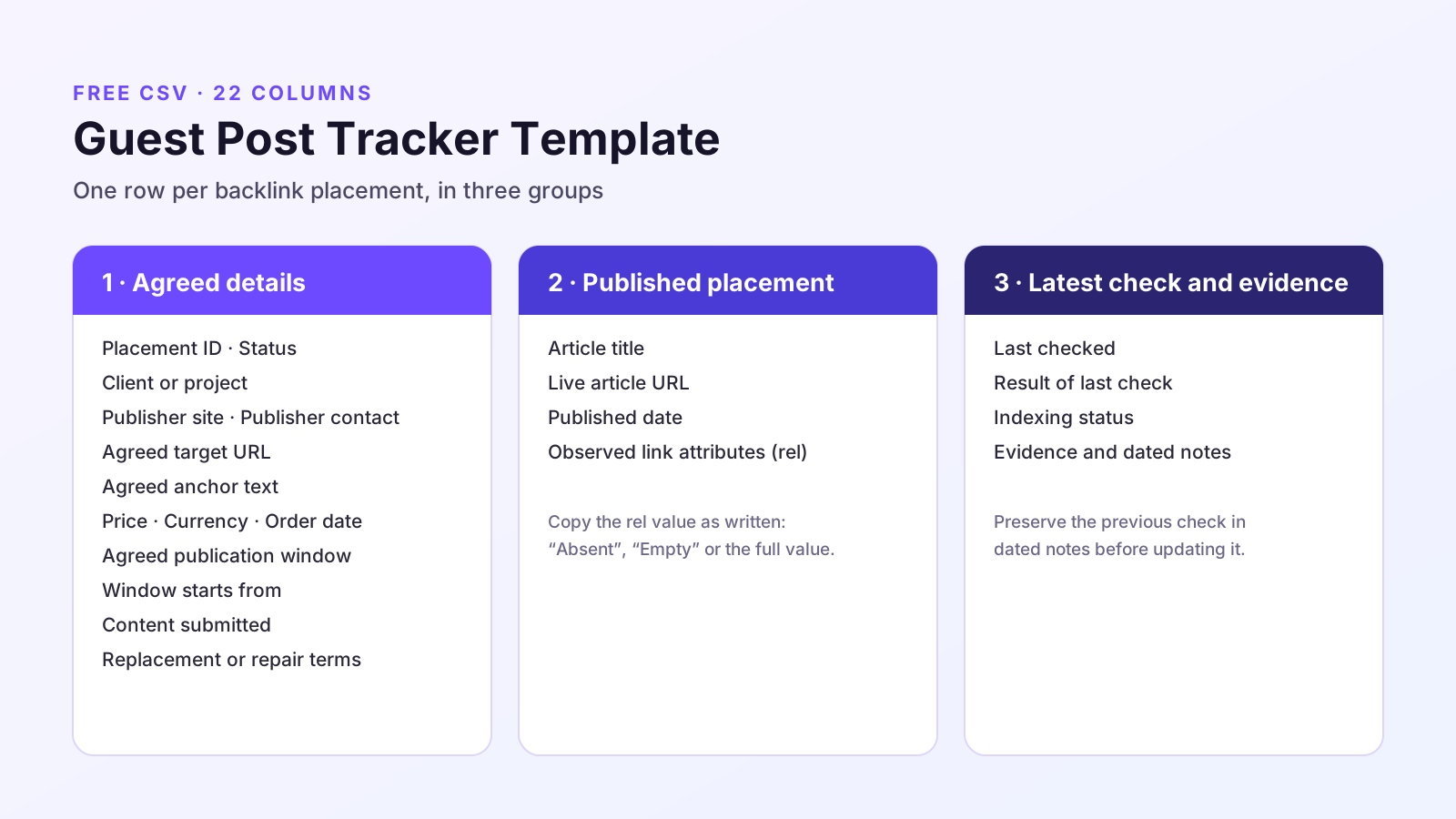
The guest post tracker template uses separate Placement IDs for separate links, including links inside one article. Keep that placement-level detail. A pair-level summary answers a different question.
Worked Example
Fictional worked example. The URLs, observations and outcomes illustrate this reporting method; they are not BM customer data or product results. The reserved .example addresses below are not live pages to visit.
We are preparing one fictional client’s report using a fictional export named “Placement observations”, exported on October 6, 2026. The source export contains 11 observation records, A001–A011, with no observation-date filter applied. Importing A001 twice produces the 12-row imported table below. All target URLs belong to client.example; the exercise does not mix clients or establish whether the links are currently live.
The Recorded URL Pairs
The pair IDs below are labels for the complete source and target strings. No URL has been normalised. Every observation in the next table inherits the exact URLs shown here.
| Pair ID | Recorded source URL | Recorded target URL |
|---|---|---|
| G1 | https://publisher.example/guide | https://client.example/service |
| G2 | https://publisher.example/comparison | https://client.example/service |
| G3 | https://publisher.example/resources | https://client.example/service |
| G4 | https://publisher.example/comparison | https://client.example/guide |
| G5 | https://publisher.example/about | https://client.example/service |
| G6 | https://publisher.example/contact | https://client.example/service |
| G7 | https://syndicated.example/guide | https://client.example/service |
| G8 | https://publisher.example/guide?ref=roundup | https://client.example/service |
| G9 | https://review.example/review | https://client.example/service |
The Imported Observations
"Original record" is the export's evidence reference, not a newly generated row number. "Occurrence" identifies a link location when the fictional source record supplies one. An unknown value stays unknown. The rel values are recorded attributes, not quality verdicts.
| Row | Pair | Original record | Observed on | Occurrence and recorded field | Treatment |
|---|---|---|---|---|---|
| 1 | G1 | A001 | 2026-09-30 | Intro link; rel=nofollow | Retain original observation |
| 2 | G1 | A001 | 2026-09-30 | Intro link; rel=nofollow | Exclude confirmed repeat import from working count |
| 3 | G1 | A002 | 2026-09-30 | Footer link; rel=nofollow | Retain separate occurrence |
| 4 | G1 | A003 | 2026-10-05 | Intro link; rel=sponsored | Retain later observation of row 1's occurrence |
| 5 | G2 | A004 | 2026-10-05 | Body link 1; rel=sponsored | Retain different source page |
| 6 | G3 | A005 | Unknown | Body link; rel unknown | Retain; observation date unresolved |
| 7 | G4 | A006 | 2026-10-05 | Body link 2; rel=sponsored | Retain different target on row 5's source page |
| 8 | G5 | A007 | 2026-10-05 | Template footer; rel unknown | Retain this source page's pair |
| 9 | G6 | A008 | 2026-10-05 | Template footer; rel unknown | Retain this other source page's pair |
| 10 | G7 | A009 | 2026-10-05 | Copied article's body link; rel unknown | Retain different publisher's source URL |
| 11 | G8 | A010 | Unknown | Occurrence and rel unknown | Retain literal variant; equivalence unresolved |
| 12 | G9 | A011 | 2026-10-05 | Review body link; rel=sponsored | Retain distinct source/target pair |
In this exercise, the fictional import log confirms that A001 was imported twice, producing rows 1 and 2. Matching URL strings alone would not establish that fact. Preserve the original export and an unchanged snapshot of all 12 imported rows. In a separate working copy, flag row 2 as a confirmed repeat import and exclude it from the observation count without deleting the record.
Rows 1, 3 and 4 remain under G1. Row 3 is a different link occurrence. Row 4 records a later attribute change to the intro link; it does not replace the earlier observation. The example does not infer when between the two checks that change happened.
Rows 5 and 6 use different source pages on the same publisher. Row 7 uses row 5's source page but a different target. Rows 8 and 9 share a template location yet remain different source/target pairs. Row 10 comes from another publisher; copied article text does not make its source URL identical.
Row 11 remains G8, not G1. To consider grouping those variants in an additional summary, inspect the recorded source URLs, any redirect destinations and the actual link occurrences. A canonical tag can provide context, but it does not by itself prove that two historical observations were the same occurrence. Preserve the original strings and document any later grouping rule. This worksheet does not reproduce Google's canonical selection.
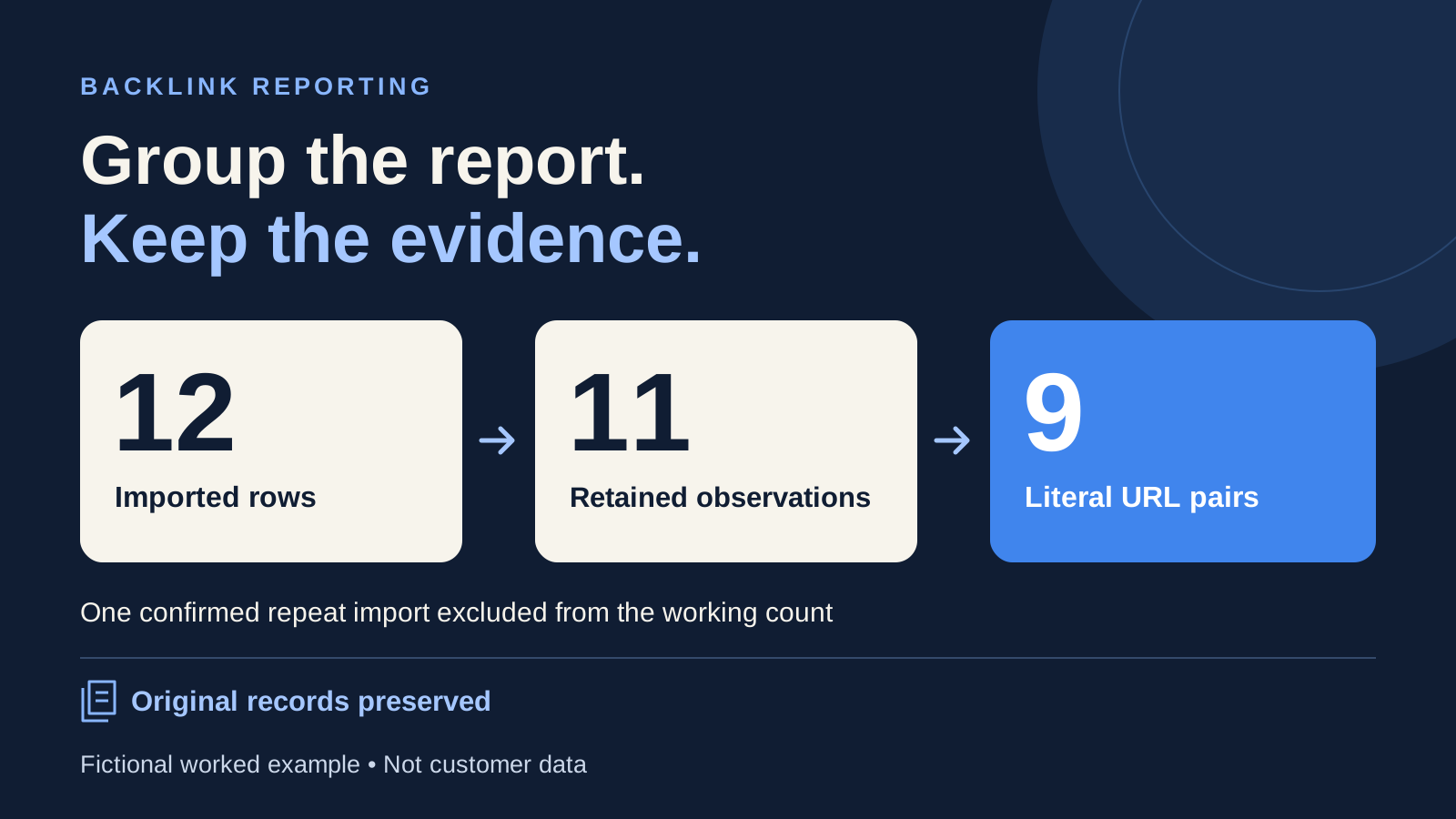
Result: 12 imported rows → 11 retained observation records after excluding one confirmed repeat import → 9 distinct literal source/target pairs. Nine pairs does not mean nine currently live links, nine placements, nine referring domains or nine links that Google values.
The unresolved list includes the unknown check dates, unknown recorded fields and G8's possible relationship to G1. None is silently filled in to make the report look complete.
Why Google and Majestic May Label Duplicates Differently
Google's Links report documentation says its report combines duplicate source/target links after normalising them. It also groups target pages by canonical URL. Its report is a sample, and individual tables and landing-page exports have different limits. Our literal-pair exercise therefore should not be expected to reproduce a complete Google backlink count.
Majestic's August 27, 2021 duplicate-link announcement describes classifications applied to links from a source domain to a target URL. It also cautions users to make their own checks before relying on its algorithmic classifications. That dated explanation helps interpret the label; it is not a current export-navigation tutorial or a universal rule for deleting tracker rows.
When counts differ, name the unit each report counts before treating the difference as a missing link or a new placement. Keep provider labels with their provenance rather than translating every "duplicate" into the same status.
Report What You Counted
For the fictional exercise, a defensible summary is:
For client.example, the export dated October 6, 2026 contains 11 source observation records. Importing one record twice produced 12 imported rows. After excluding that confirmed repeat import from the working count, 11 observation records remain, grouped into 9 distinct literal source/target pairs. The original export and unchanged imported-row snapshot are retained. Unknown observation dates and fields remain unresolved, and G8 is not merged with G1. These totals do not establish the number of currently live links or acquired placements.
Use the same structure for your own report: scope, counting unit, grouping rule, confirmed exclusions and unresolved cases. If you cannot establish a number, leave it unconfirmed rather than labelling it "unique backlinks".
Tidying records does not remove a live backlink. Google’s disavow guidance states that disavowed links continue to appear in the Links report, so disavow is not a way to tidy a report. Any separate link-quality assessment needs its own evidence.
Keep the original records, the summary and the review list together. That lets the next person explain the number without reconstructing how the spreadsheet was cleaned.
Sources and Method
This article uses fictional records to demonstrate a manual reporting method, not a Backlink Management feature or customer result. The linked Google and Majestic documentation was checked on October 7, 2026. Majestic’s duplicate-link announcement was published on August 27, 2021.
BACKLINK MANAGEMENT
Give the Next Report a Clearer Starting Point
Sign up for Backlink Management to organise backlink records alongside connected Google Search Console data. Preserve your original exports separately.